Premiere · New
Season 1 · Episode 4v1.2.0
Kizen 1.2.0: Ki writes the script with you
- Starring:
- Ki, Script, Library, Canvas
- Runtime:
- 2 min read
Scene: KiTake: v1.2.0
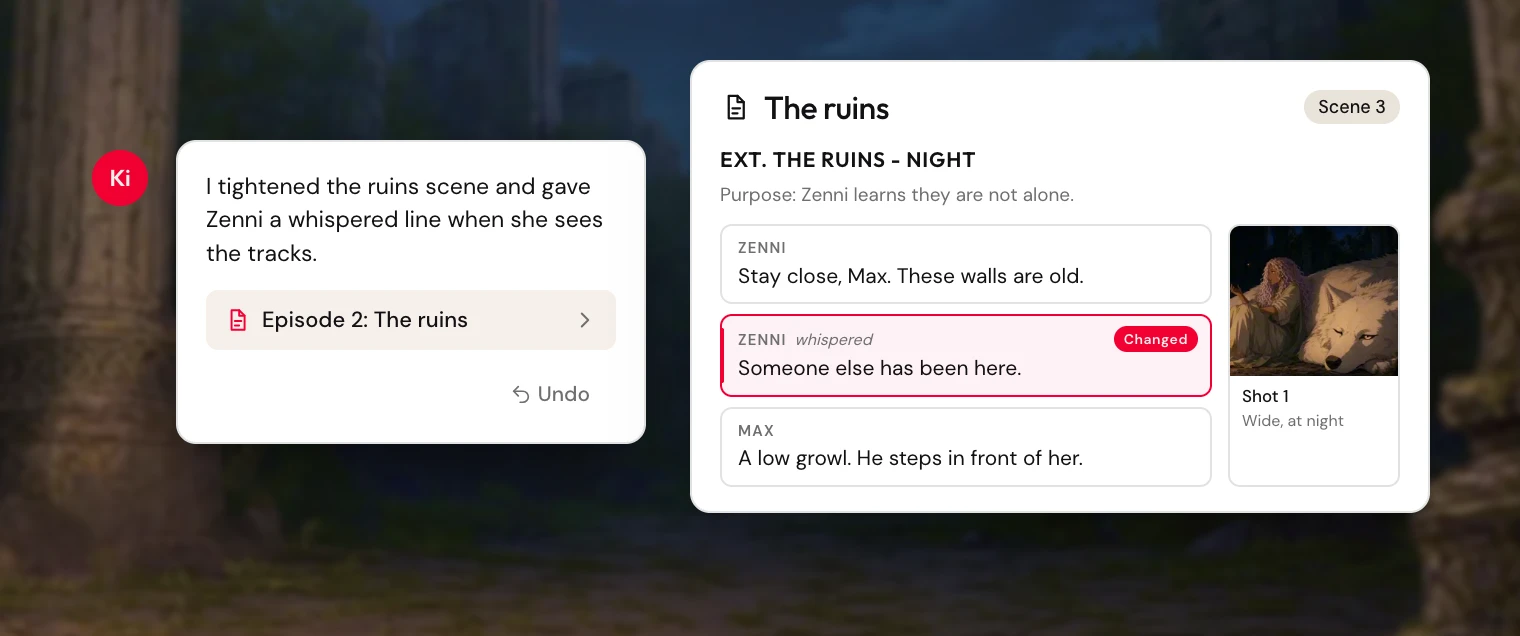
Ki can write the script with you. Scenes, shots, and dialogue sit beside the chat, and you can undo a change that was not right.
Scene 1. Ki writes the script
Ask Ki to draft or revise an episode. Ki can add scenes, edit lines, set a purpose, and place shots on the blocks they cover. While Ki is writing, the script shows which lines changed, and you can jump to them. An episode link in chat opens that script.
Scene 2. A script you can shape
Start a script and the first scene is ready. Each scene can hold a location and time of day, a purpose, director's notes, a cinematography note, and shots. Dialogue can be marked angry, whispered, or with a pause. Each line sits on its own card.
You can move a line, delete a scene, or delete the script and start over. Undo puts a script edit back. If the script changed after that edit, you see that the undo was blocked, and the message stays on screen.
Scene 3. The workspace moves with you
The main view works like a panel. Put the script, a chat, a canvas, or the library there, or move that view into a side panel. Rename a script from its title. Search finds words in the open chat, and on a canvas.
Scene 4. Pictures and the library
Ki looks at a picture you attach. When Ki saves a picture, it can file that picture in the library collection you name. Renaming a character, place, or thing keeps their pictures, canvases, and script references. Picture names that came from the old name update, and a name you wrote yourself stays.
Retakes. 10 fixes
- A location name in a scene heading shows without a reload
- A save card labeled Writing flips when the detail is ready
- An unknown chat says the session was not found
- A file you asked to remove is deleted, and the save card lists removed files
- A save that stalled is marked failed instead of staying in progress
- Scene references wait until the library has loaded
- An empty scene gives you a line to type
- A new project tells you what to do when a location or speaker list is empty
- Hovering a picture no longer stacks a second action chip
- A note from Ki and the reply stay in separate paragraphs