Premiere · New
Season 1 · Episode 2v1.1.1
Kizen 1.1.1, Ki proposes pictures
- Starring:
- Ki, Pictures, Saves
- Runtime:
- 2 min read
Scene: KiTake: v1.1.1
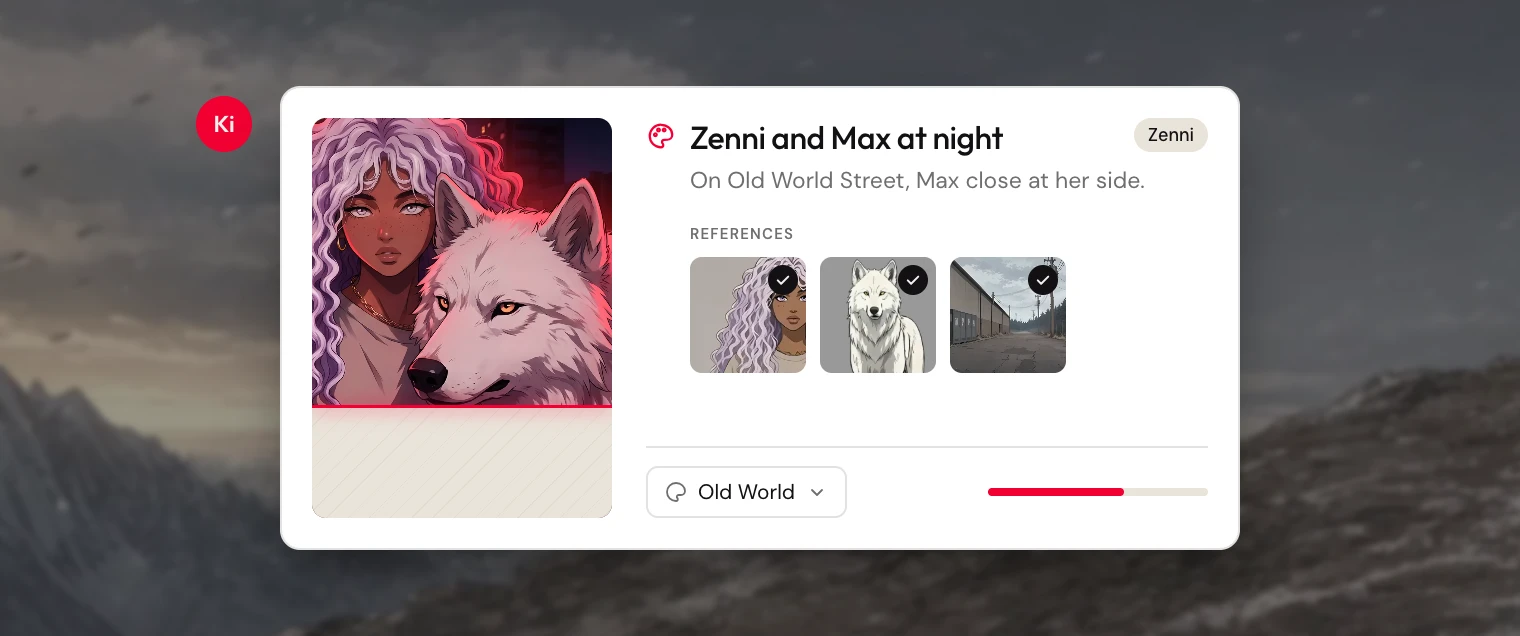
This is Kizen 1.1.1.
Ki can propose a picture for the story, and you decide before it is made. You can change a save before it lands.
Scene 1. Ki proposes pictures
When a scene needs a picture, Ki can suggest one. You review it, choose where it belongs, then approve it or set it aside. After it is made, you can edit it from chat.
You choose the references. A cover is used only if you picked it. If a picture does not come through, you see why.
A picture saved to the library gets a name. You can duplicate a finished picture, and add several in the same message.
Scene 2. Saves you can still change
You can edit a save before you approve it. The save stays with the message that introduced it, including after a refresh. If you set it aside, it stays in the chat, labeled Ignored.
Ki can also place an open idea on the Progress panel, so it is still there when you switch chats.
Scene 3. The project keeps your place
Side panels stay as you left them in each chat. A mention stays as a chip after you send it, and you can mention any library in the project. A library with no name shows as Untitled.
A long chat that includes pictures stays intact when you come back.
Retakes. 3 fixes
- Save titles wrap onto a second line
- Projects with new work move up in the list
- Text in menus is easier to read