Premiere · New
Season 1 · Episode 1v1.1.0
Kizen 1.1.0, Ki waits for you before saving
- Starring:
- Ki, Saves, Workspace, Library
- Runtime:
- 3 min read
Scene: KiTake: v1.1.0
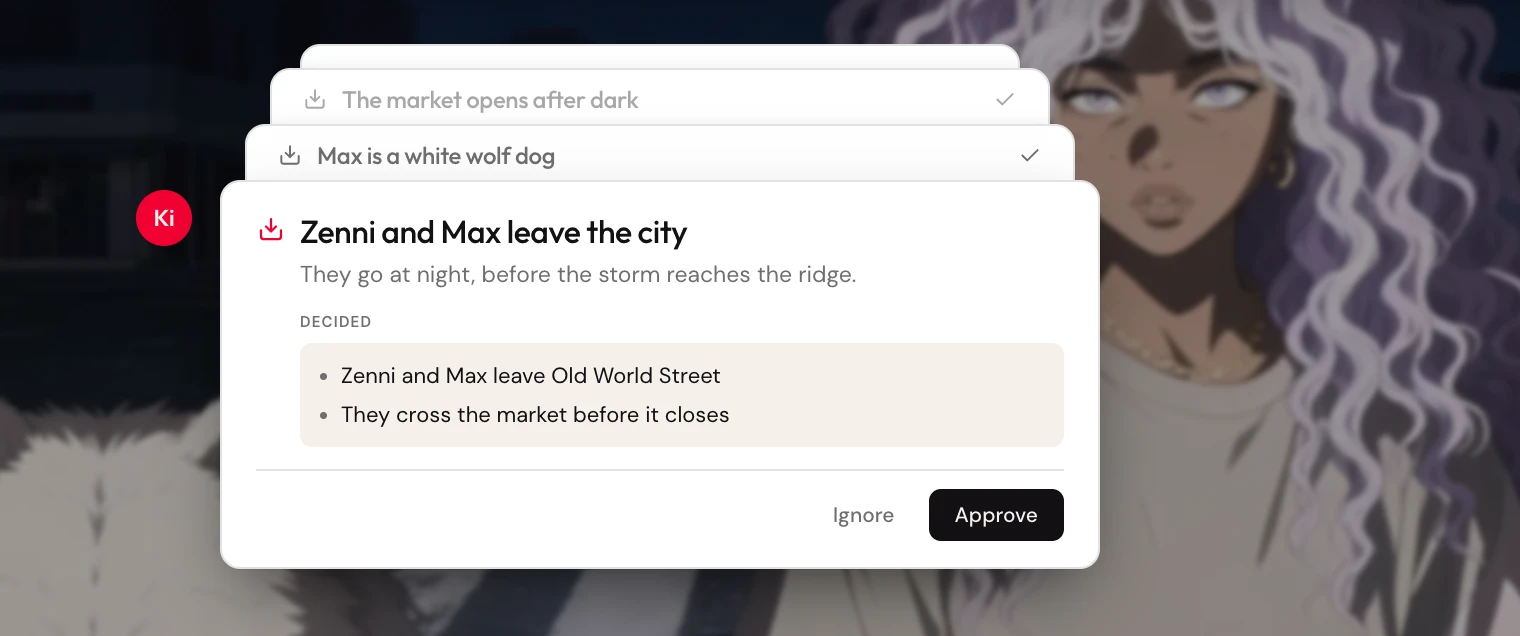
This is Kizen 1.1 in production. Everything we’ve been proving on staging is now in the live app.
The big shift: Ki waits for you before saving your story. The project workspace is clearer, and generating and organizing images is more reliable.
Scene 1. Ki waits for you before saving
Ki no longer auto-saves your story in the background. When a stretch of the story feels decided, Ki proposes a save. You review it, then approve it or set it aside. You can undo a save if it wasn’t right.
A Commits panel keeps that history in view. A Progress panel tracks open threads in the story so ideas don’t disappear when you switch chats.
You’ll get a nudge in chat if something is still waiting. Approve stays locked while a change is being applied, so you don’t double-tap. Undo only appears when it will actually work.
If you step away, unfinished ideas can be captured as proposals. Ki will not write files until you say so.
Scene 2. A clearer project workspace
The project view has a new layout, with side panels for files, commits, and progress. Light and dark themes are cleaner. Internal system files stay out of the way.
You can:
- Rename chats and canvases
- Jump through files with breadcrumbs and search
- Drop a story idea or a commit into chat when you want Ki to work from it
- Hover a project or chat in the left nav for quick actions
- Keep scrolling the project list to load more
Scene 3. Images, canvas, and library
Generating and organizing pictures is smoother throughout.
- The batch control shows how many pictures you’re generating (for example ×3), not a confusing fraction
- Images get clearer names
- Failed generations explain what went wrong
- Download links stay valid
- Deleting a canvas also removes its leftover images
- Library collections, adding from the composer, and covers that used to show as a blank tile
- Mentions in the composer so you can pull library items in
- More image models to choose from
Scene 4. Chat
You can keep more than one conversation in a project. Refreshing mid-chat restores the session more reliably. Chat recovers more cleanly if a conversation hits a snag.
Retakes. 7 fixes
- The lightbox no longer pops open when you didn’t ask it to
- On the Library page, browsing pictures stays within the library
- The Liked tab on a canvas updates as soon as you switch to it
- The delete-project confirmation no longer gets stuck
- Generation downloads that used to fail on the first try
- Layout glitches on smaller screens in the library
- Empty states across canvas and library are clearer